
Notes that file as you write
Faster than
forgetting.
One field, always ready. Type the thing and press send — no document to choose, no folder to pick. Then it comes back however you happen to think of it.
One payment. No subscription, no account, no server.

- No accountNothing to sign into.
- No serverIt works in aeroplane mode.
- One paymentNot a subscription.
Capture
The caret is
already there.
Every other notes app makes you choose a document before it lets you write. By the time you have found the right note, the thought has changed shape.
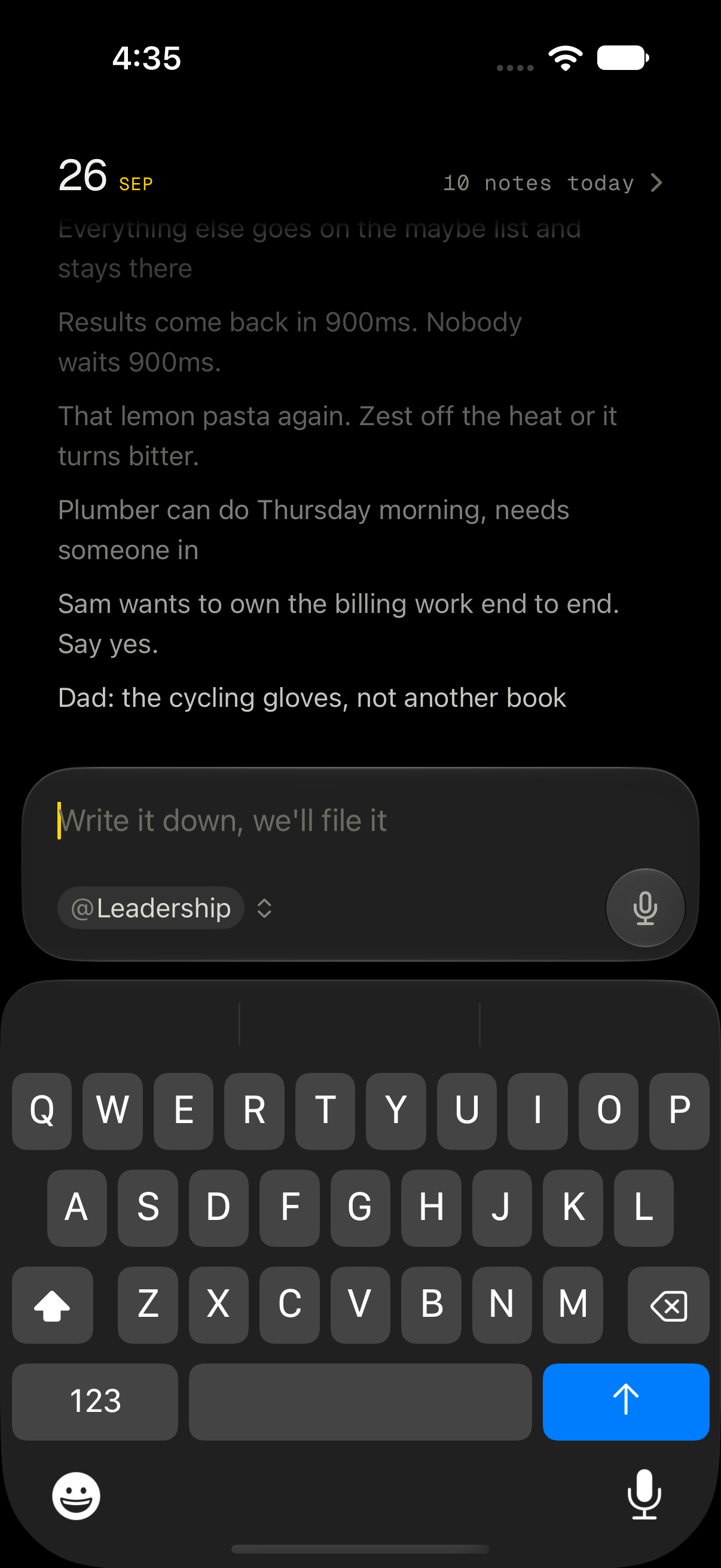
Always one tap away
Control Centre, the Lock Screen and the Action Button, so a note can be written before the screen is properly on.
Talk, and it splits itself
Every time you pause, the sentence you just finished becomes its own note, filed and ready.
Six lines, six notes
A meeting is not one paragraph. Each line can be found, moved or answered from on its own.
Filing
You never stopped
to file.
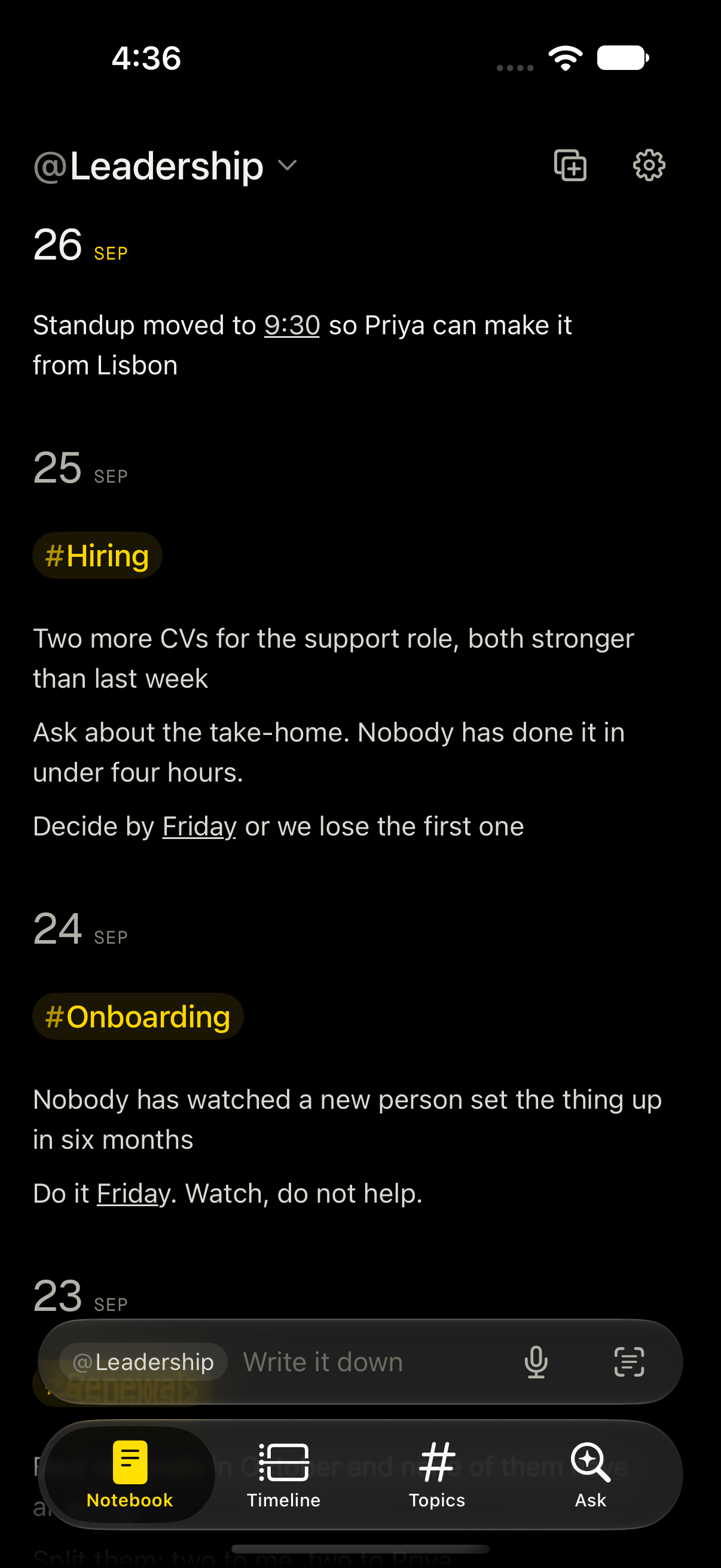
Name a notebook with @ or a subject with # as
you type — or say nothing, and it follows you. Either way the filing
happens inside the sentence, never as a step after it.
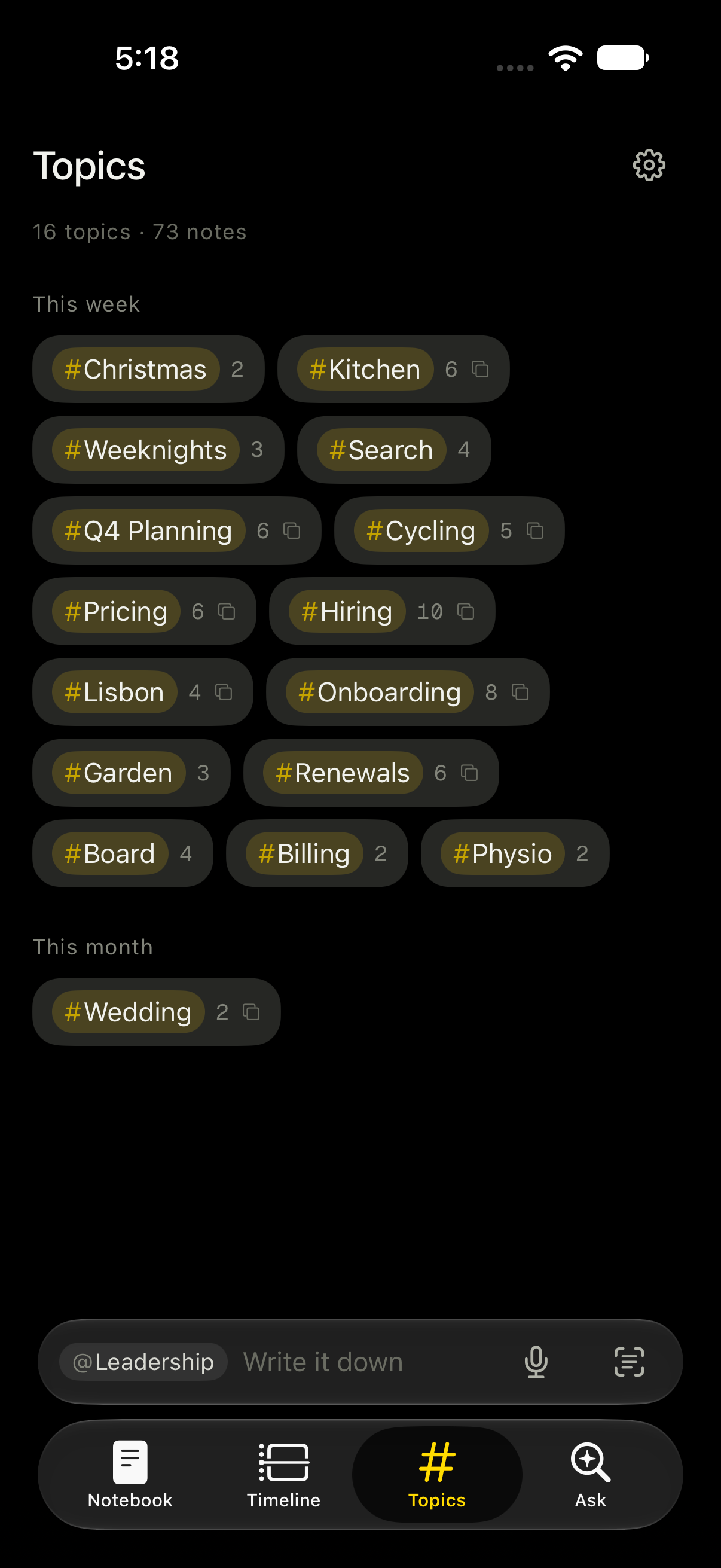
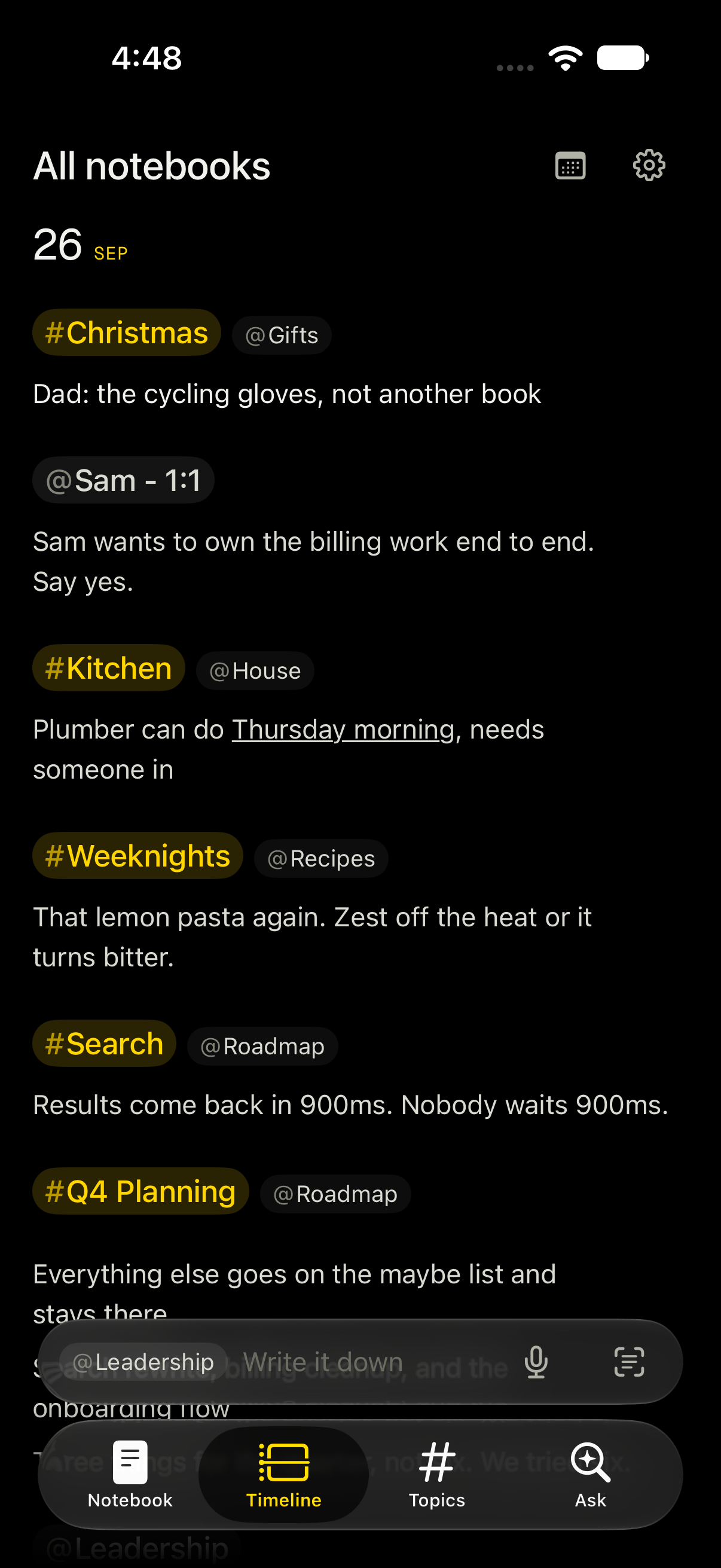
Renamed once, renamed everywhere
Change a topic and every note that ever used it follows, across every notebook.
The day it belongs to
A note knows its own date separately from the day it was typed — so a screenshot taken on Friday can refill your Tuesday.
Sessions, not walls of text
A quiet break appears where you stopped writing and started again.
Finding
However you happen
to think of it.
Nobody remembers where they put a thought. They remember something about it. So there is no single way back in — six lead to the same note.
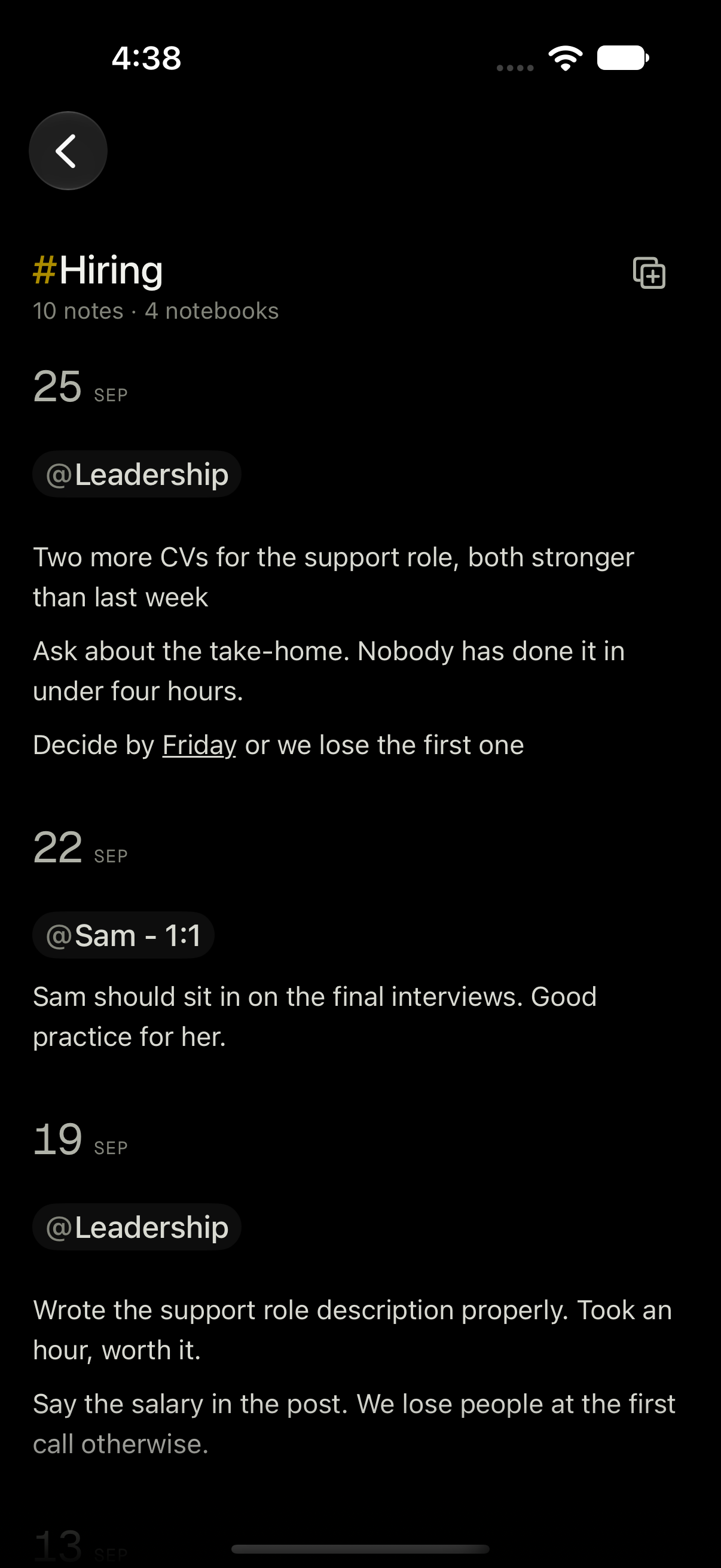
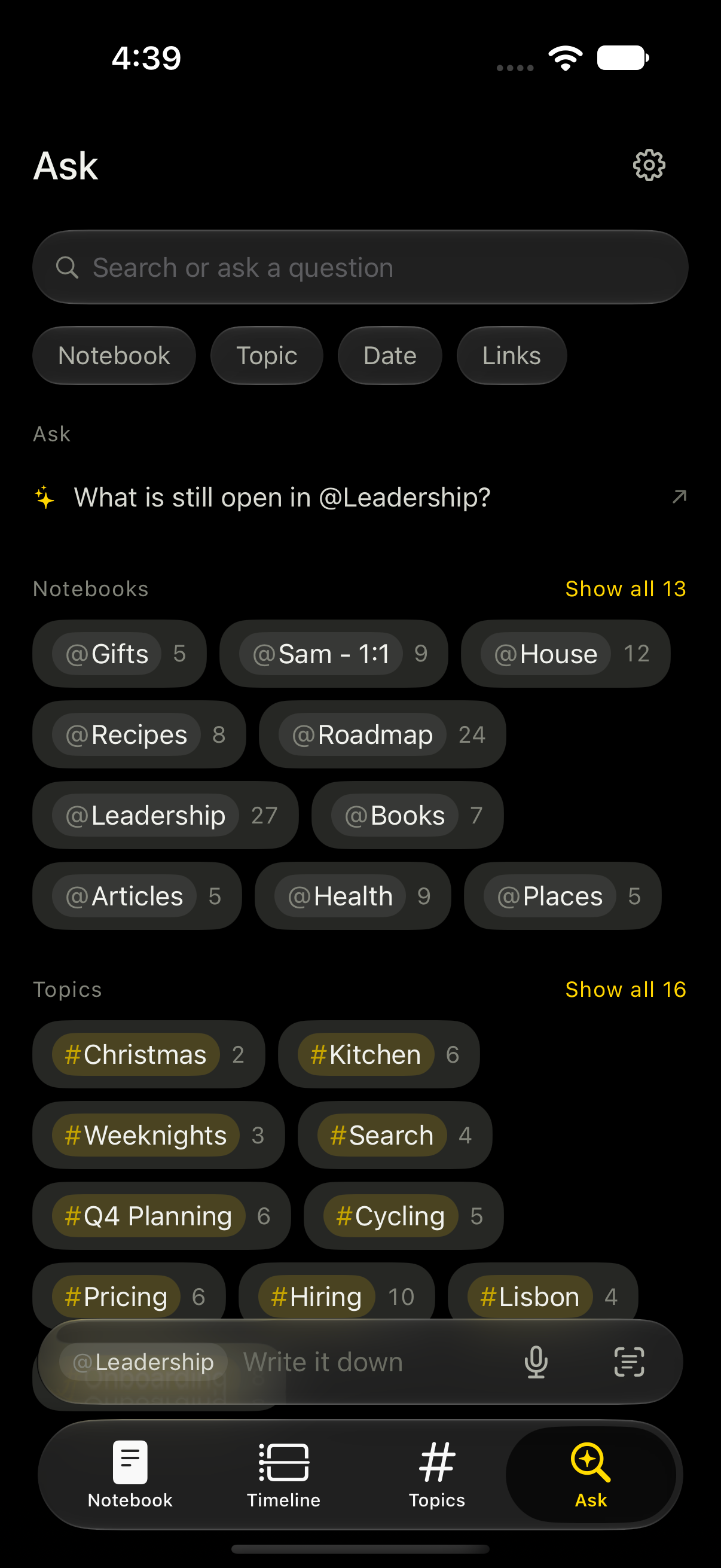
- The notebookEverything with one person or project, as a document.
- The subjectA topic gathers a thread across every notebook it touched.
- The dayA timeline and a calendar, for when you only recall roughly when.
- A questionAsk in plain words. The notes it used are listed underneath.
- Out loudSiri and Spotlight reach every note without opening the app.
- As a promptHand a whole subject to any AI, with the names taken out.
The one way out that leaves
Your notes, ready
for any AI chat.
Five of those routes stay on your phone. This is the one that does not — so it is the one that shows you everything first.
- Catch me up
- What's still open
- Draft the follow-up
- Prep me for next time
- Just the notes
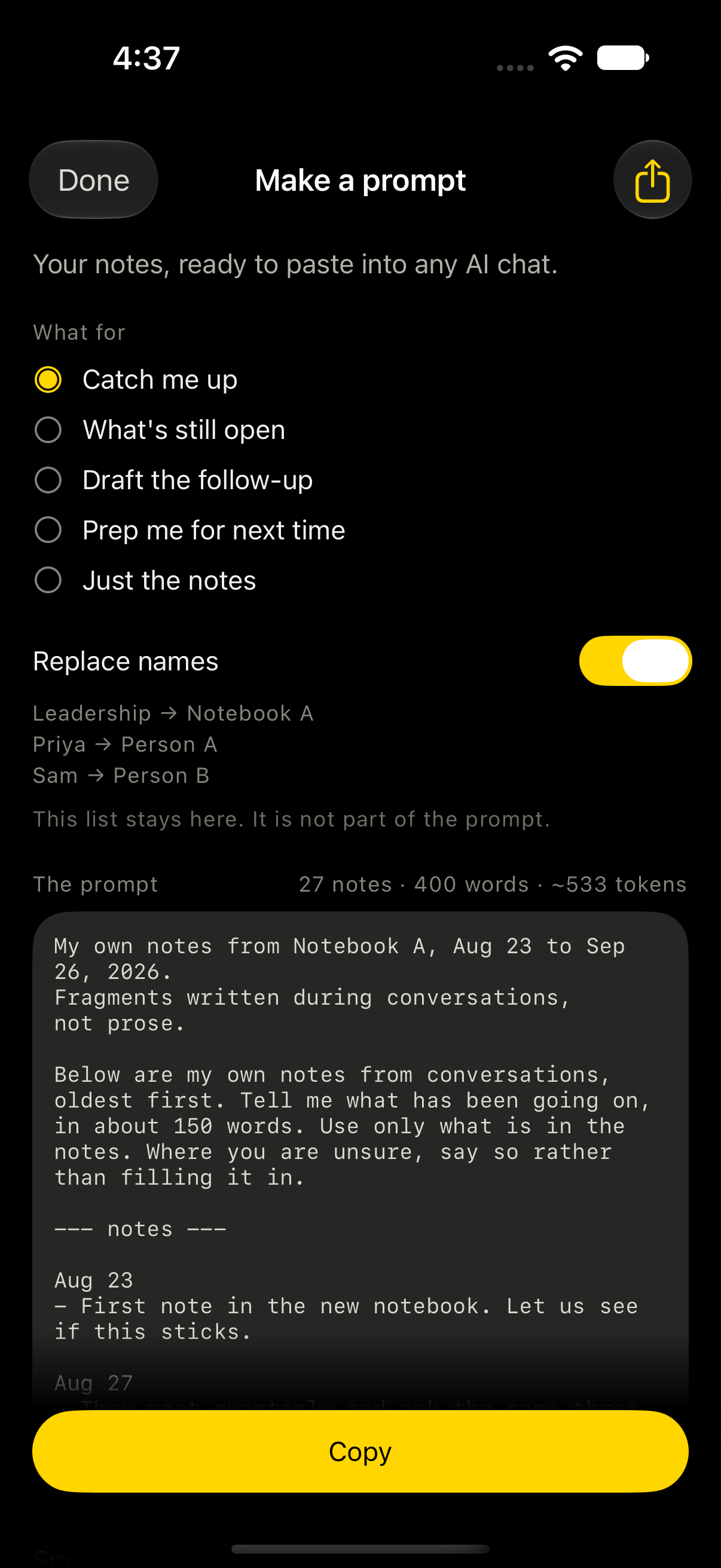
My own notes from Notebook A, Aug 23 to Sep 26.
Fragments written during conversations, not prose.

Below are my own notes, oldest first. Tell me what has
been going on, in about 150 words. Use only what is in
the notes. Where you are unsure, say so rather than
filling it in.

--- notes ---

Sep 19
- Wrote the support role description properly.
- Say the salary in the post.
Names come out
People become Person A, notebooks become Notebook A — and the key stays on your phone. It is never part of what you copy.
You read it first
The whole text, not a description of it. This is the one screen that prepares your writing to leave.
Promptly never sends it
It builds the text and puts it on the clipboard. Where it goes next is entirely your decision.
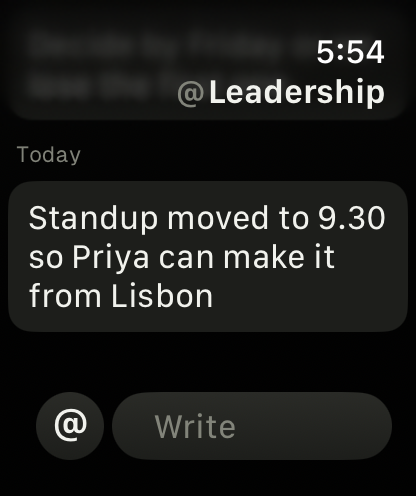
Everywhere you already are
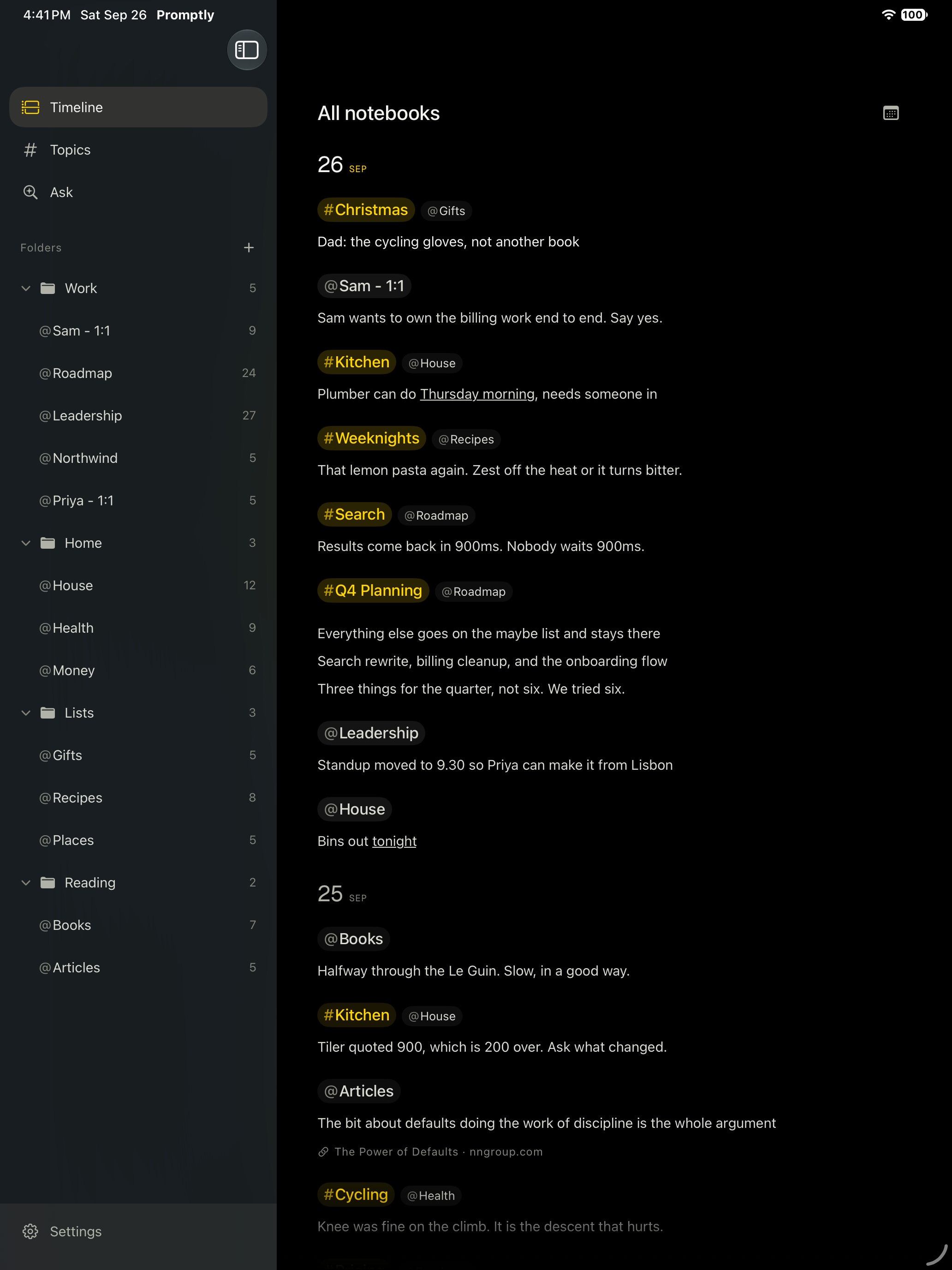
Two columns on iPad.
One field on the wrist.

iCloud sync
Write on the phone, read on the iPad. Through your own iCloud — your storage, not ours.
Siri, Shortcuts, Spotlight
Jot a line or ask a question out loud. Every note is findable from the home screen.
Plain JSON export
Take everything out whenever you like. No lock-in and no format to escape.
Where it differs
Not another place
to keep documents.
Most notes apps are good at holding a document you made. Promptly is built for the line you have not decided anything about yet.
| Capability | Promptly | Apple Notes | OneNote | Notion | Drafts |
|---|---|---|---|---|---|
| Write before choosing a document | |||||
| Files itself by notebook, day and topic | |||||
| One subject threaded across every notebook | |||||
| Answers from your own notes, on device | |||||
| Hand a subject to any AI, names redacted | |||||
| Works fully without an account | |||||
| Sync through your own iCloud | |||||
| Paid once, not monthly |
In fairness. These are not all trying to be the same thing, and each beats Promptly at something. Apple Notes is free and already on the phone. OneNote is better at handwriting and a shared page. Notion does databases and a whole team; Promptly does no collaboration at all. Drafts is the closest in spirit and has far deeper automation. Pick the one that matches the job — the column above is only the job Promptly is for.
Compared as at September 2026, on each app's own free or standard tier. All names belong to their owners.
Privacy
There is nowhere
for it to go.
No account. No server. No analytics. Answers are worked out on your phone by the model that comes with iOS. Turn on aeroplane mode and the whole app still works.
Notes sync through your own iCloud. Nothing is collected by us, because there is no us to collect it.
Promptly Pro
One payment.
Not a subscription.
Capture, filing, notebooks, topics, timeline, asking, exporting, syncing and making a prompt are the free app, and stay that way. Pro adds the layer that connects notes to people and days — a face on the notebooks you keep for people, a brief before a meeting, and an old note surfacing quietly as you write a new one about the same thing.
iPhone, iPad and Mac. Apple Watch app included.